21 Mar Canva Review, Design Anything for Social Media
Canva Review – Overview
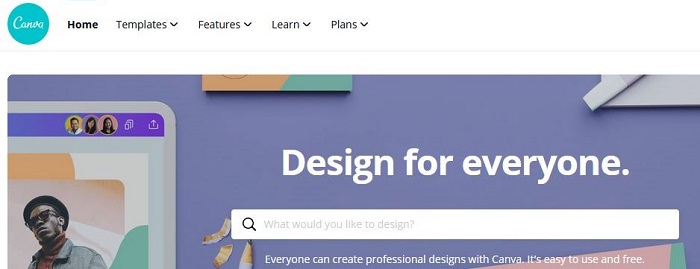
Welcome to our Canva Review. Canva gives newbies and Pros a very simple design platform that enables them to create amazing and professional graphic designs. This online design solution offers a ton of powerful features, including a simple drag-and-drop design tool and a vast collection of over 1 million photographs, graphics, and fonts.
Canva has a user-friendly, reliable design tool that makes it easy to take an idea and turn it into a stunning design, whether in print or online. Canva can be implemented to create professional-looking designs for almost every purpose. With Canva you can do graphics for your presentations, posters for marketing, or visual charts for your blog content. Canva has you covered on almost any graphic design need.
Canva Pros and Cons
Canva is aiming to be your one-stop shop for everything graphic design. It wants to help you get the best results in return for the time and effort you can invest, and with that in mind it’s suitable for those who find the premium alternatives a bit too daunting. Here are my top Pros and Cons for Canva:
Pros:
Huge number of templates and graphics
Can create any kind of visual project
Intuitive interface that’s easy to navigate
Cons
The best features require a subscription
Advanced users will want more options
Doesn’t work when you’re offline
Overview of Canva Benefits
Canva prides itself on being simple to use for anyone, with or without graphic design experience, and it’s certainly true that the templates and intuitive tools mean you can create something very professional-looking very quickly. However, it’s not just a suite of apps for beginners – seasoned design professionals can also get plenty of use out of Canva, as long as they don’t want too much detailed control over what’s on the page.
The platform runs in your browser and/or as an app on Android and iOS. It includes an impressive number of editing and layout tools as well – covering everything from image cropping to blur effects to background removal. Objects can be easily arranged and layered in a project, and it’s straightforward to add extras like text captions or fun stickers on top of whatever you’re doing.
Canva’s powerful drag and drop editor, along with its vast selection of images, fonts, and templates, makes it easy for users to build documents and designs from scratch. Users also have the option to create custom designs and templates that contain elements of their brand and company. With easy to edit templates and designs, Canva helps users ensure consistency of themes across documents.
Canva interface
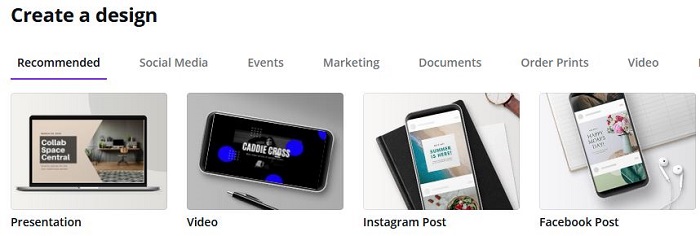
Canva’s ease-of-use is one of its most appealing features, and everything is well laid out and organized. Just tell Canva what it is you’re trying to design, and you’ll be met with a wealth of different templates and layout options – one of the strengths of Canva is the number of templates you can work from, which run into the thousands even before you start paying up for a monthly subscription.
As you move elements around the page, helpful guides appear to enable you to keep everything aligned and looking consistent, while swapping out parts of a design (such as a photograph) can be done with a couple of mouse clicks. Whatever you want to do, whether it’s dropping in a new background or embedding a video, Canva makes the process stress-free and intuitive.
The same approach is evident in the mobile apps as well: obviously, it’s not quite as easy to manage and adapt designs on a smartphone screen, but the Android and iOS apps are as user-friendly as the main web portal. You might be surprised of the quality of work you can get done on your mobile, which again is testament to how well put together and powerful Canva actually is.
Canva pricing
You can use Canva completely free of charge, which is a great way of seeing if it works for you. Even with the free access, you get access to some 8,000 templates and more than 100 different types of design projects. You also get most of the key layout and editing tools that you’re likely to need on the web and mobile. It’s actually a very generous free tier, and some people will be able to get by just fine with it.
If you need more features a subscription is, $12.95 a month or $9.95 a month if you pay a year at a time. The subscription gets you about 50x as many templates, plus access to millions of stock images. The subscription also gives you cool tools like the automatic background remover. The top subscription tier, Enterprise – $30 a month, billed annually – adds even more features useful for teams, so you can manage access for multiple users.
If you need a higher level of Graphic Design work done, check out our 99designs and Fiverr Review.
Canva verdict
I personally love and use Canva for all of my social media content creation. Canva is easy to use and enables you to create amazing, professional-quality graphic designs. If you can drag and drop, you will be a Canva superuser! When you weigh Canva up against something like Adobe Creative Cloud, Canva lacks features and complexity, but it also means a much smaller learning curve! With user-friendly applications, over a million images and fonts, and budget-friendly prices, you simply can’t go wrong with Canva.
Ready to Start Your Side Hustle? We Can Help!
Start your side hustle today with this FREE ebook!