07 May BIGVU Review: Teleprompter and Video App
If you are looking for an easy-to-use, affordable video recording app, keep reading to find out about BIGVU. It is a video recording platform that also provides a teleprompter. The app allows you to create pro video recordings in minutes. BIGVU offers three independent solutions: Social Video Creator, Video Presentation, and Mobile Journalism. The suite can be used to create a variety of video content like marketing videos, sales pitches, news, social posts. Lastly, it also offers training videos and online tutorials.
I personally use BIGVU because I like that it offers both the video & teleprompter features. I looked for other teleprompter software and just kept finding platforms with only one (video recording) or the other (teleprompter). It also offers both a phone app for (iOS and for Android) and website platform.
BIGVU shows your script on screen and perfectly cues your video when you start and end speaking. It reframes video to fine-tune your position on camera, automatically adds subtitles for viewing when audio is muted. It also offers a one-tap replacement of green backgrounds.
BIGVU Features
BIGVU Social Video Creator allows professionals to create videos and post on leading social media sites including Facebook, Twitter, YouTube, and Instagram. It offers background customization tools so businesses can create background templates with a brand name, title, theme, and business logo. Once designed, the background templates can then be shared with other colleagues and collaborators. This ensures everyone is using the same background for creating, editing, or publishing videos. BIGVU automatically renders videos in multiple aspect ratios and video formats to support different mobile screens and platforms.
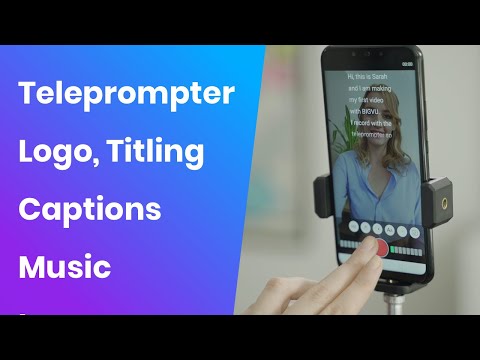
The Video Presentation tools let video developers with limited experience in video making can create engaging videos for their audience. Users can download BIGVU mobile app on their Android or iOS ratios phones and can start recording themselves. It offers a teleprompter feature so video makers can upload the script the presenter needs to read during the video. The robust editing tools allow users to capture multiple takes and pick the best cut to create the final version. BIGVU also offers these features:
- Drag and drop images, video shots, tweets into scene cards in a storyboard timeline over a music bed, narration, or video presenter.
- Easily add colors to highlight your keywords. It’s one-click to choose where to position your text. Customize your colors & fonts
- Pick the best video format from vertical, horizontal, or square to maximize your reach. Square videos work best on mobile, Facebook, Instagram, and Twitter newsfeeds.
- Any tweet with a photo will automatically be transformed into a stunning video sequence.
- Add a transition between visuals and motion text effects as found on popular videos in Facebook.
- One-click to publish to Facebook, Twitter, or YouTube.
BIGVU Pricing*
- $14.99/mo. for the Starter Plan
- $39/mo. for the Plus Plan.
- $149/mo. for the Workgroup Plan
- $299/mo. for the Team plan
- Discount available when paid annually
Albeit not advertised prominently, BIGVU does offer a 30-day free plan. This allows you to test the product, however, your videos will have the BIGVU watermark. The Starter package removes the BIGVU watermark and allows you to add music, backgrounds, and titling.
The Plus Plan adds longer video times, brand customization, and analytics. The Workgroup plan includes up to 5 users on a shared workspace and other advanced features. The Team plan allows up to 10 users. Lastly, there is a significant discount for paying annually.
How does BIGVU work?
First, you need to create a script. You can type out a script on your phone or the web or copy and paste from an existing document. You will need to add a headline, edit the script if needed, then click to send it to your phone. Once the script is loaded on your phone, go into the script area, and test the teleprompter speed. It will give you a five second show of how fast or slow the text will move.
Once you have chosen the speed that works best, hit the record button and it will give you a 5 second countdown. Then record the video and just follow the script on the teleprompter. BIGVU allows you to do as many takes as you like. If you record multiple takes, you can go in and delete the other takes and keep the perfect take.
After recording your video, you are now ready to edit! BIGVU allows you to add on-screen logos, in-video music, and other video effects during the BIGVU editing process. Finally, your video is ready to download and/or to publish to YouTube, or any other social media platform.
Final Thoughts
As I said earlier, I personally use BIGVU and love it. There are two things that I think offer the best value from BIGVU. 1. It has both recording and teleprompter services together in one app. 2. It has both a phone and web platform. The pricing is in line with other video editing apps. Honestly, there are a ton of free teleprompter apps, I checked most of them! But they offer only a recording or a teleprompter service, not both.
Also, most of the free apps will limit the time of your video. Lastly, with BIGVU offering so many video editing abilities, it’s an easy choice to use it. This is a great tool for entrepreneurs to boost their social media video presence. Easy to use, great features, and very competitive pricing truly makes it a great app.
Ready to Start Your Side Hustle? We Can Help!
Start your side hustle today with this FREE ebook!